
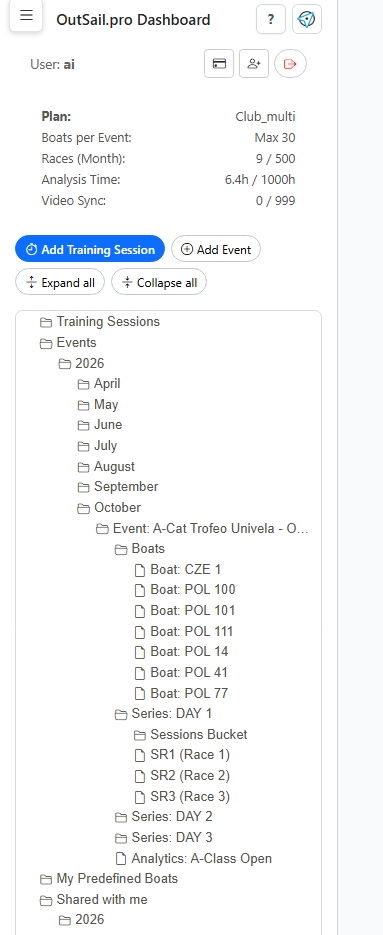
Getting Started with OutSail.pro: Core Concepts & Data Hierarchy
Understand how OutSail.pro organizes sailing data: the Tree Menu hierarchy, supported GPS loggers, and interface navigation.
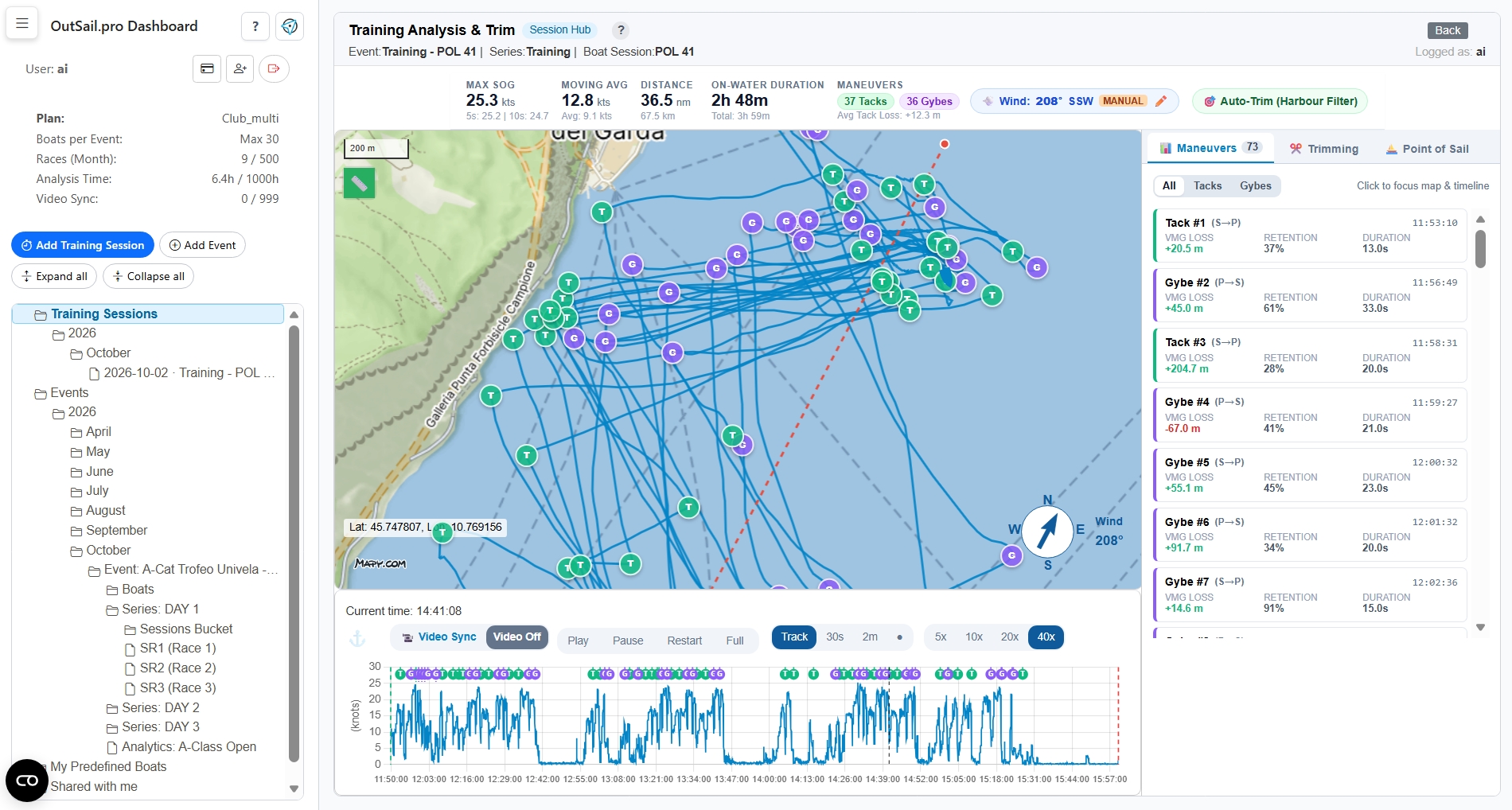
Your Everyday Solo Training: The Standalone Session Hub
Upload a single GPS log and instantly review speed peaks, tack losses, and point-of-sail metrics in 30 seconds without laying race marks.
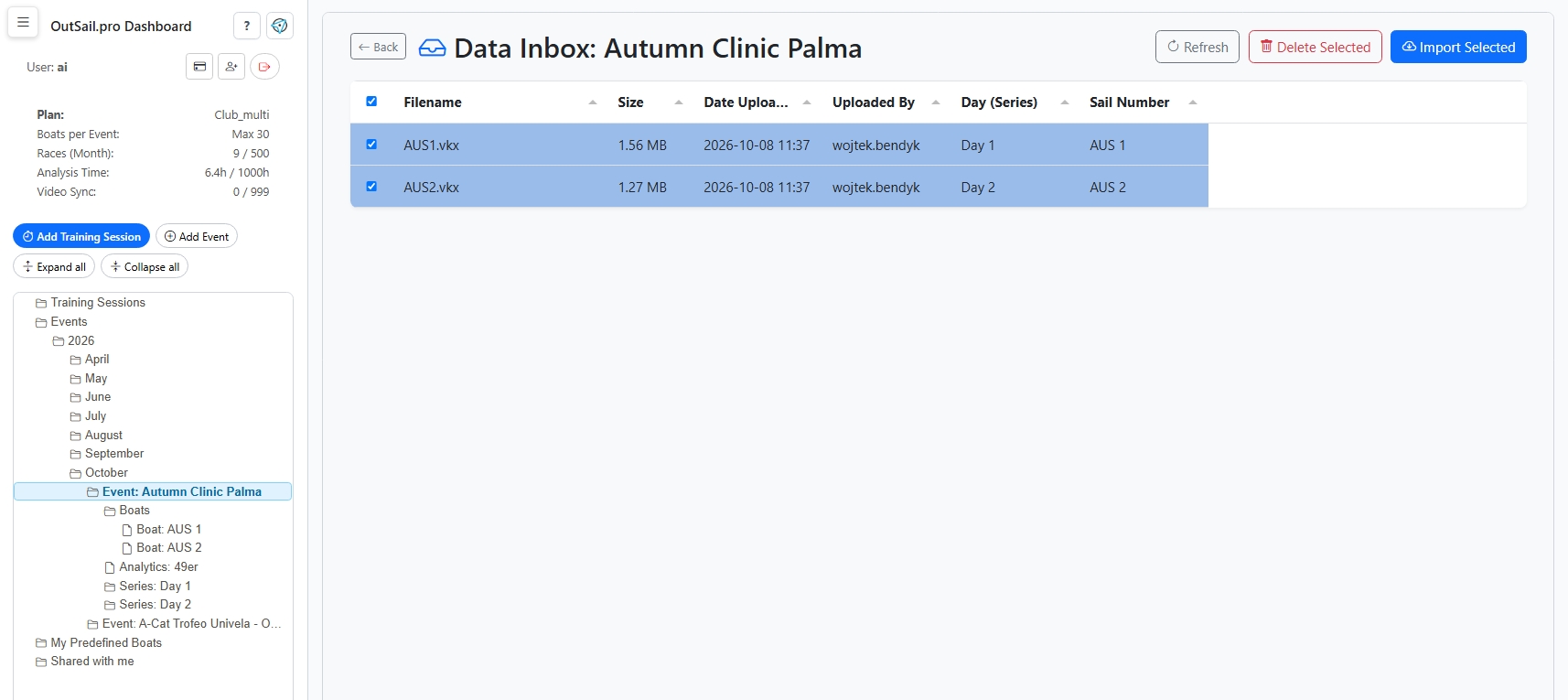
Creating an Event & Adding Training Sessions: Coaches & Fleet Organizers
Set up a regatta or team clinic: create an Event, populate your fleet roster, create daily Series, and collect GPS tracks via direct upload or Sailor Dropzone.
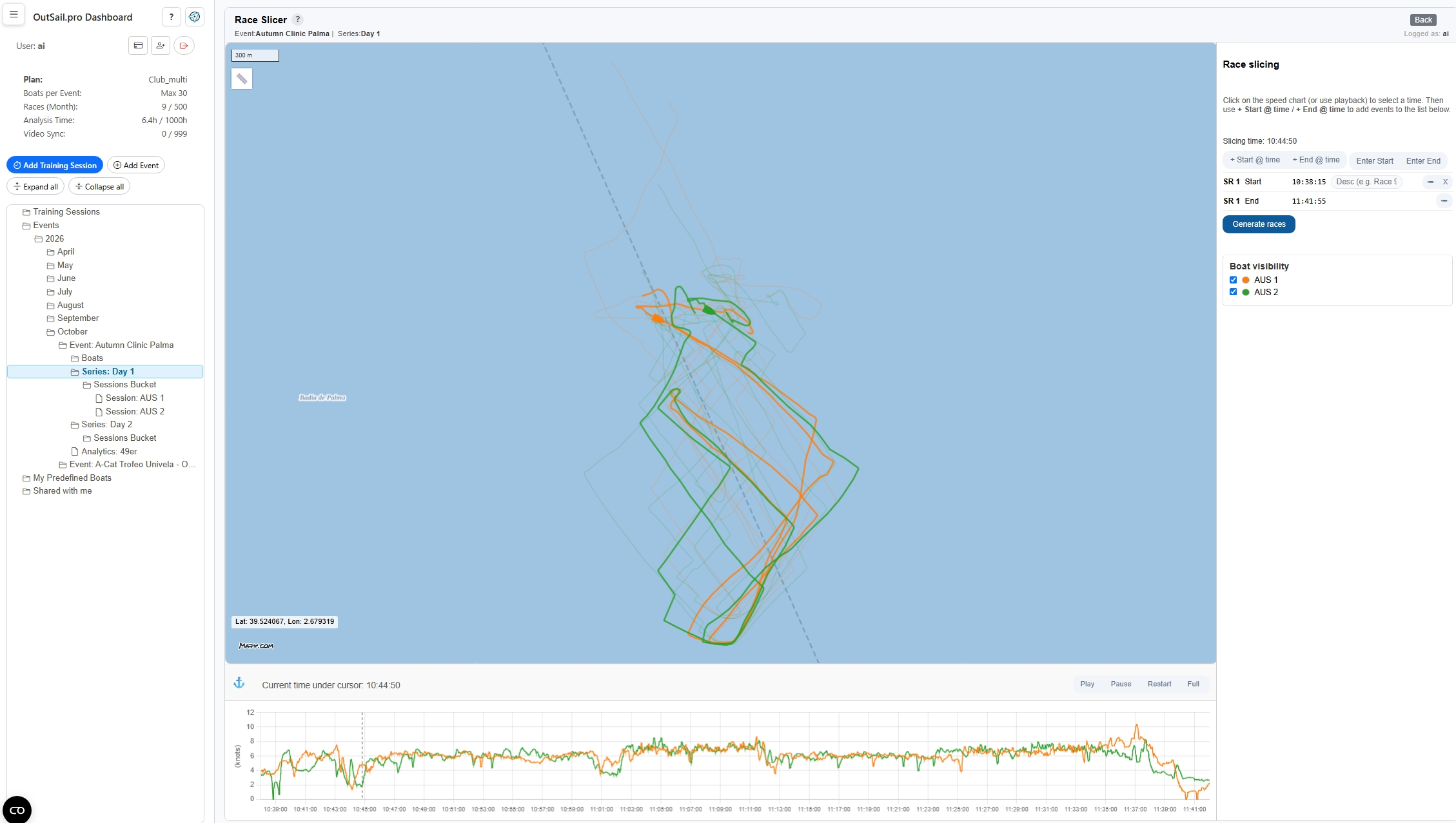
Slicing Series into Races: Creating Race Windows
Transform continuous full-day tracks into individual race windows: understand rough starts, pre-start margins, and slowest boat buffers.
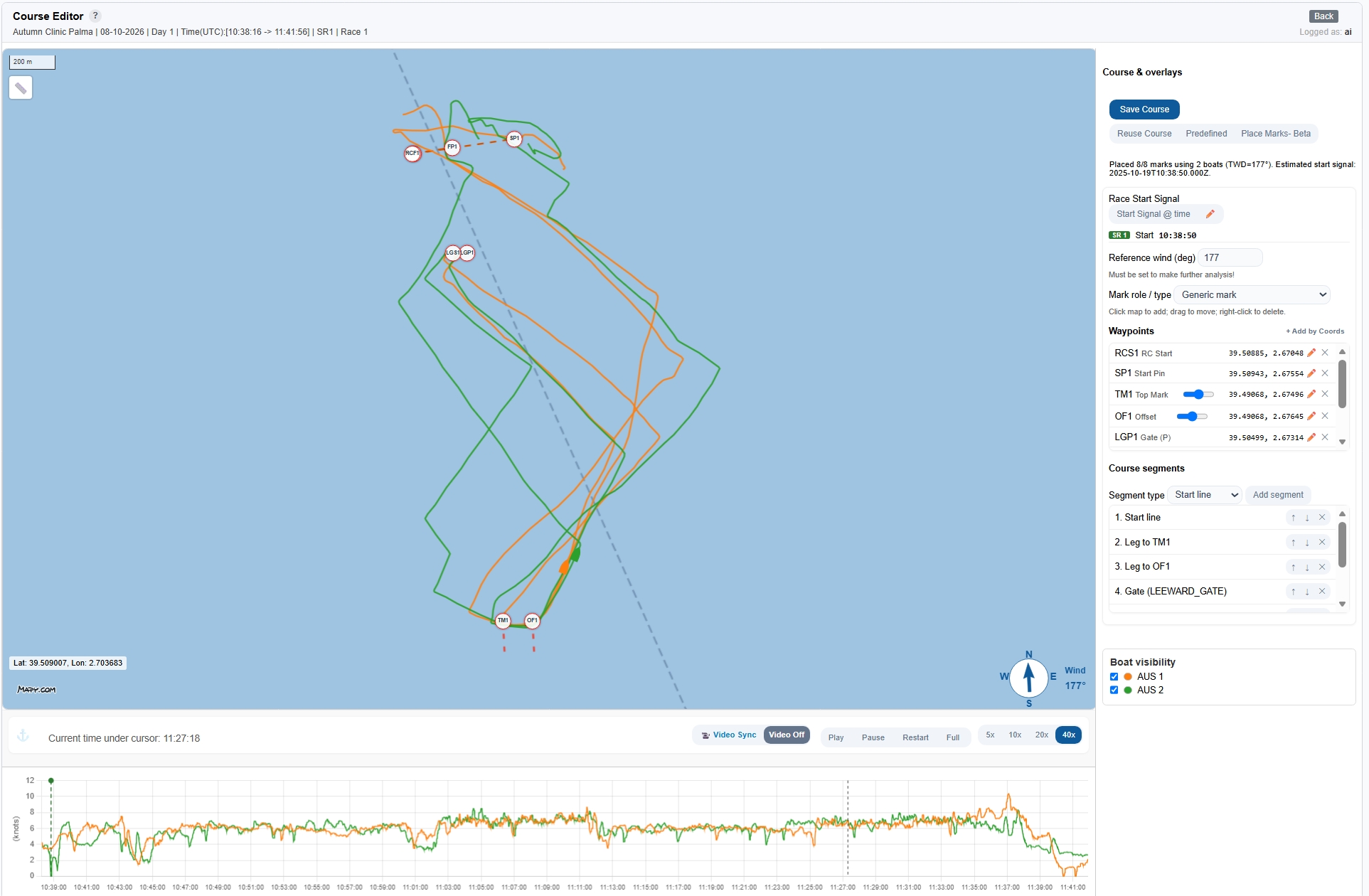
Course Definitions: Setting the Race Geometry
Define your race geometry: use Predefined templates, reuse existing courses, set reference wind direction, and run automatic mark placement.
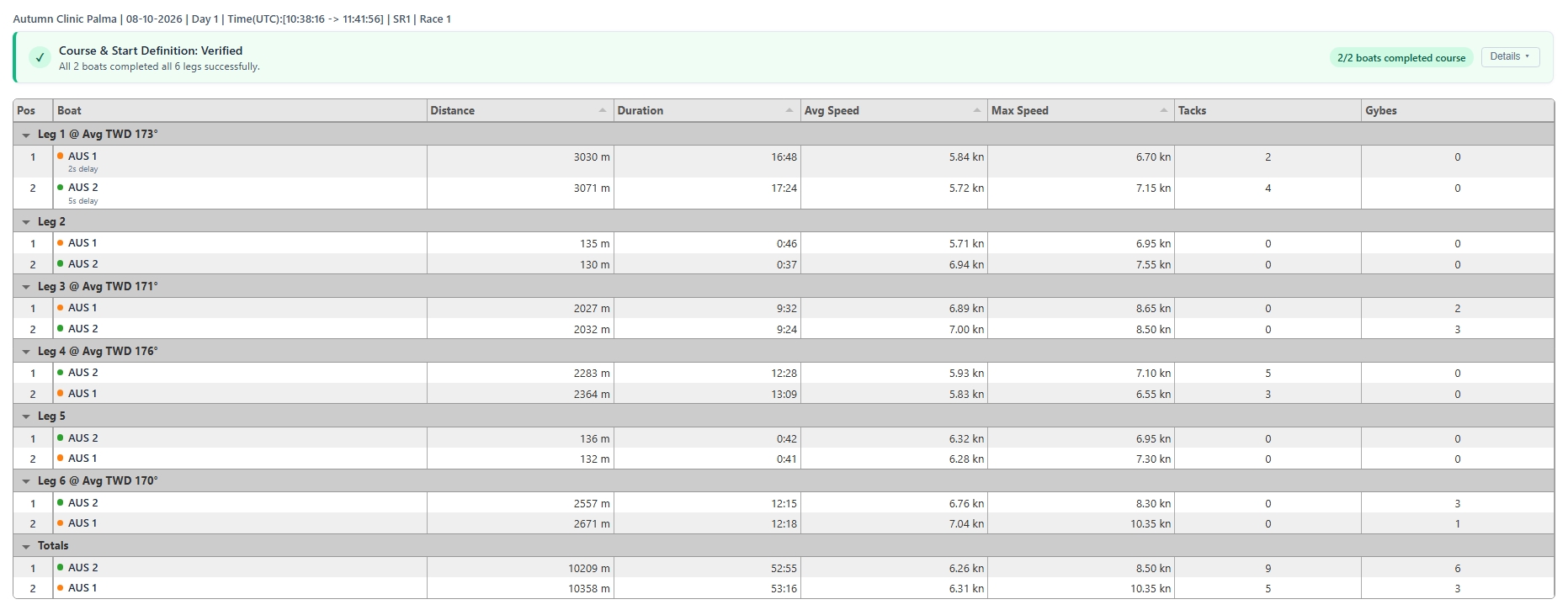
Running Analysis & Course Verification
Trigger the analytics engine, interpret the diagnostic report, correct misplaced marks with zero data loss, and unlock debrief modules.